Offline POS for UAE businesses
Keep billing through internet interruptions. Sales are recorded locally on the Windows desktop app and sync with the cloud when you reconnect.
Free trial available · No credit card required · Onboarding support
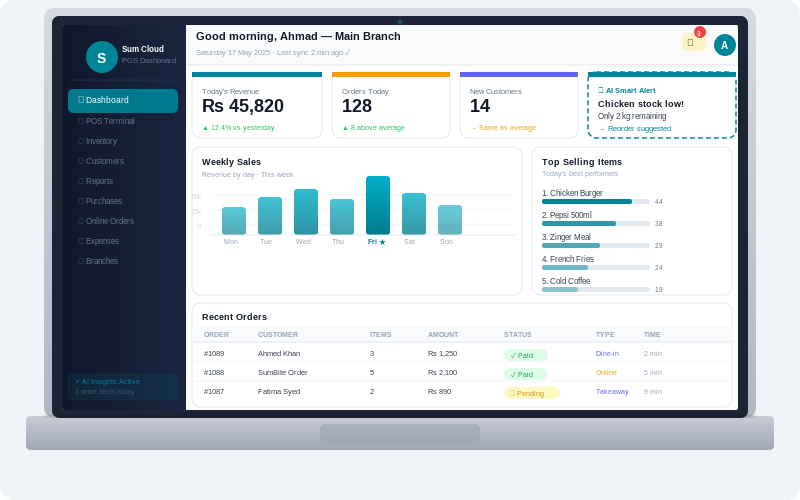
The workflow
Trading continuity with one system of record
Offline mode is there for the moment the connection fails. Sales, receipts and stock updates are recorded locally on the Windows desktop app, then synchronised when the cloud is reachable again.
Start with the till, then add stock, purchasing and reporting as the business grows. Every module uses the same product catalogue.
Internet interruptions
An outage at the counter should not stop customers being served.
Lost sales and receipts
Writing orders on paper creates re-entry work and mistakes.
Manual reconciliation
Offline sales need a clear path back into the main system.
How it works
How offline billing works
Use the desktop app
Run the Windows POS at the counter as the local billing point.
Keep trading offline
Continue recording sales and printing receipts if the connection drops.
Reconnect
When the internet returns, local sales sync to the cloud.
Review centrally
Confirm the data in the cloud dashboard and continue reporting.
Features
Offline and sync capabilities
United Arab Emirates
For UAE sites with connection risk
Useful for counters where a dropped connection would otherwise mean a dropped sale.
Connection reliability
Keep trading when the internet is unavailable.
Busy counters
Avoid stopping service to troubleshoot a connection.
One system of record
Offline sales still end up in the same cloud account.
AED trading
Offline receipts stay in the currency your business uses.
Questions
Frequently asked questions
Next step
See Sum Cloud POS for your UAE business
Book a demo built around your workflow, or start a free trial and explore the system at your own pace.
Free trial · Setup support · Cloud and offline billing