
UK · Offline POS
Offline POS for UK businesses
Keep billing when the broadband drops. The Windows desktop app records sales locally and syncs to the cloud when you reconnect.
Free trial available · Cloud and offline billing · Setup support
The workflow
Trading continuity, not a second system
Offline mode is there for the moment the connection fails. Sales, receipts and stock updates are recorded locally on the Windows desktop app, then synchronised when the cloud is reachable again.
When connectivity becomes a business risk
Broadband outages
An outage at the counter should not stop customers being served.
Lost sales and receipts
Writing orders on paper creates re-entry work and mistakes.
Manual reconciliation
Sales recorded offline need a clear path back into the main system.
How it works
How offline billing works
Use the desktop app
Run the Windows POS at the counter as your local billing point.
Keep trading offline
If the connection drops, continue recording sales and printing receipts.
Reconnect
When the internet returns, the app syncs the local sales to the cloud.
Review centrally
Confirm the data in the cloud dashboard and continue normal reporting.
Features
Offline and sync capabilities
Start with the till and add stock, purchasing and reporting as the business grows. Every module uses the same product catalogue.
Windows desktop POS
A local till application for the counter, with or without a connection.
Receipt printing
Print customer receipts while trading offline.
Automatic sync
Send offline sales back to the cloud when the connection returns.
Stock updates
Keep stock records aligned as offline sales are synchronised.
Cloud reporting
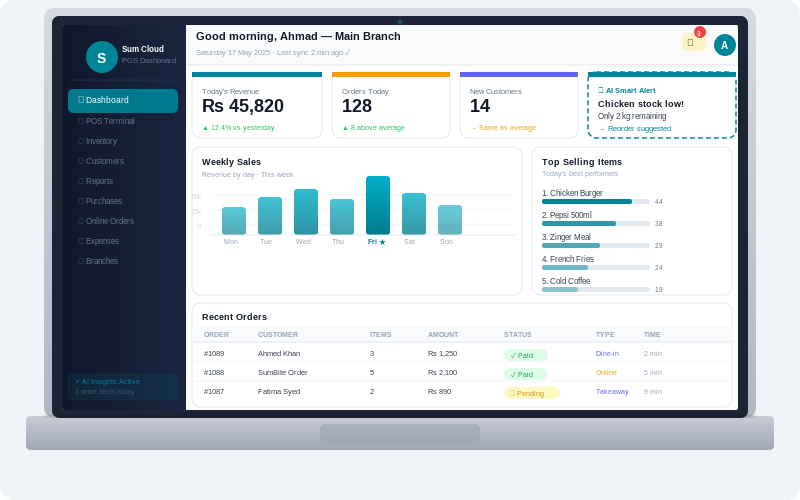
Review the combined sales picture in the cloud dashboard.
Business reports
Keep reporting consistent after an outage.
United Kingdom
For UK sites with unreliable connections
Useful for older buildings, rural sites and any counter where a dropped connection would otherwise mean a dropped sale.
Patchy coverage
Keep trading when mobile or fixed broadband is unreliable.
Busy counters
Avoid stopping service to troubleshoot a connection.
One system of record
Offline sales still end up in the same cloud account.
GBP trading
Offline receipts stay in the currency your business uses.
Questions
Questions about Offline POS
If your question is not covered here, email info@themetasum.com and the team will reply.
How does offline mode work?
The Windows desktop POS records sales locally on the device. When the connection returns, it syncs those sales to the cloud account.
Which devices support offline billing?
Offline billing is provided by the Windows desktop POS application.
Do I need to re-enter offline sales manually?
No. The desktop app synchronises recorded sales when it can reach the cloud.
Can I still print receipts offline?
Yes. Receipt printing continues on the local setup while the app is offline.
Related
Other UK solutions
Explore the workflow closest to your trade, or book a demo and review it with the team.
Next step
See Sum Cloud POS for your UK business
Book a demo built around your workflow, or start a free trial and explore the system at your own pace.