Reviewed November 2026. Tax rules and rates change — confirm current requirements with FBR, PRA, SRB, KPRA or your tax adviser.
Getting started
What Sum Cloud POS is, who it is for and how to get your first sale billed.
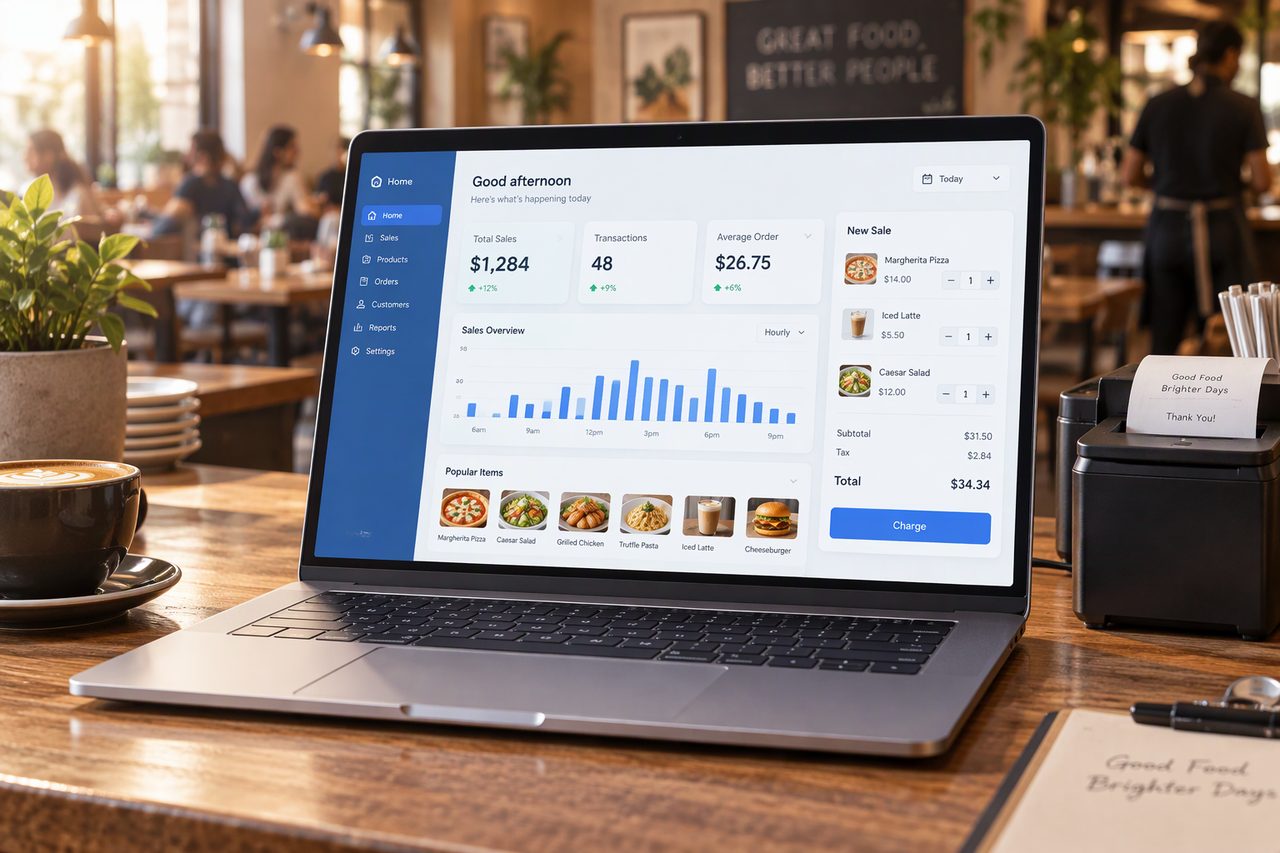
Sum Cloud POS is an all-in-one point of sale platform built by The Meta Sum. It covers billing, barcode checkout, inventory, purchasing, customer credit, expenses, accounting and reports in one system. It runs in a web browser, on Android and iOS, and as a Windows desktop app, and it keeps billing even when the internet drops, syncing to the cloud when the connection returns.
It is used by retail shops, grocery stores, pharmacies, restaurants, cafes, bakeries, salons, marquees, farmhouses, hotels, distributors, academies and service businesses. A single counter and a multi-branch chain use the same platform; branch owners get consolidated reports while each outlet keeps its own users, stock and cash drawer.
Create an account at app.themetasum.com, add your business name and tax details, then import or create products. Connect a receipt printer if you have one and you can bill your first customer the same day. A guided demo is available on the get a demo page.
No server is required. The web app runs in Chrome, Edge, Safari or Firefox. Optional Android, iOS and Windows apps give you a native window and offline cache. There is nothing to host, and updates are applied centrally, so every branch runs the same version.
Yes. Products, customers, suppliers and opening stock can be imported from a spreadsheet. Our onboarding team helps clean the file, map columns such as barcode, unit, tax rate and cost price, and verify the import before you go live. Historical sales can be summarised rather than imported line by line.
A single outlet can usually be billing within a working day. Account creation takes under a minute, then the time goes into product data, receipt branding, tax settings and staff training. Multi-branch rollouts take longer because stock, price lists and user roles need to be agreed branch by branch.
Yes. New teams get a short online walkthrough covering billing, returns, stock entries and end-of-day closing. Help is available by WhatsApp, phone and email, and there is written guidance for common tasks. Priority response is available for businesses that cannot bill because of a technical issue.
Yes. You can start a free trial without a credit card and use the main features, including billing, offline mode, inventory and reports. When the trial ends, our team explains the plan that fits your branch count and modules; there is no long lock-in contract.
Yes. You can configure currency, tax rates, receipt language and numbering per business or branch. The platform supports Pakistan (FBR, PRA, SRB and KPRA), Saudi Arabia (ZATCA-aligned e-invoicing), the UAE, the UK and other markets with configurable VAT or sales tax.
Receipts and invoices can include Urdu text such as business name, item names or a footer message, alongside English. The working interface is in English and uses simple, label-based screens that staff learn quickly; receipt language is configured per branch.
POS basics
Everyday questions about devices, users, receipts and running more than one counter.
A point of sale (POS) system is the software and hardware a business uses to record a sale, calculate tax, take payment and print or send a receipt. Modern cloud POS systems also update stock, track customer credit, manage purchases and produce reports, so the till becomes the operational record for the whole business.
Any laptop, desktop, tablet or phone can run the till. For a counter you will usually add a thermal receipt printer; a barcode scanner, cash drawer and card machine are optional. Restaurants may add a kitchen printer or screen. None of the hardware is locked to a single vendor.
Yes. Sum Cloud POS runs on Android and iOS phones and tablets, and the camera can scan barcodes. A tablet on a stand with a Bluetooth printer makes a compact counter, while phones are useful for table-side ordering, stock checks and owner dashboards.
Yes. You can use the browser version or install the Windows desktop app, which is convenient for a fixed counter with a USB printer, cash drawer and scanner. The desktop app keeps the same data and settings as the web and mobile apps.
No. Billing, receipts, held bills, table orders and stock deduction keep working offline. Sales are stored on the device and synchronised when the connection returns. Internet is needed for cloud reports, cross-branch stock visibility and tax-authority submissions, which queue until the link is back.
Yes. You can create unlimited users with individual logins and roles such as cashier, supervisor, stock keeper, accountant and owner. Permissions control discounts, refunds, price changes, stock adjustment and access to reports, and every action is recorded against the user.
Yes. Each branch has its own counter, users, stock and cash session, while head office sees consolidated sales, stock and profit reports. Stock can be transferred between branches, price lists can be central or local, and role permissions decide who can view or change each branch.
Most USB and Bluetooth thermal receipt printers that support ESC/POS work, including common 58 mm and 80 mm models. Barcode scanners that behave like a keyboard (USB or Bluetooth HID) work without drivers. Cash drawers connect through the printer's drawer port.
Receipts can print on a thermal printer, print as A4, be sent by WhatsApp or email, or be stored as a PDF. You can add a logo, tax number, branch address, QR code and footer message, and different branches can use different templates.
Yes. The dashboard shows live sales, payment mix, top items, stock alerts and branch comparisons from any device. Owners can check a branch without calling the manager, and scheduled reports can be emailed or exported for accounts.
FBR POS integration (Pakistan)
How FBR invoice reporting works for Tier-1 retailers, and what changes at the counter.
FBR POS integration connects a retailer's point of sale to the Federal Board of Revenue's central system. When a sale is completed, the POS sends invoice details to FBR, receives an FBR invoice number and prints it with a verification QR code on the customer receipt. It is a real-time reporting duty for notified Tier-1 retailers.
It is mandatory for retailers that fall within the notified Tier-1 categories and have been directed to integrate. Non-integration can lead to penalties and other enforcement action under the sales tax law. Because categories and notices change, confirm your status with FBR or a tax consultant before assuming you are exempt.
Tier-1 retailer is a legal category covering large and chain retailers, including units of national or international chains, outlets above the notified turnover or floor-area thresholds, and certain brand or franchise outlets. FBR issues sales tax general orders that list the categories; the current order should be checked rather than relying on an old summary.
After the POS submits a sale, FBR returns a unique invoice number, commonly an 18-digit reference. That number, plus a QR code, is printed on the customer receipt so the purchase can be verified. The retailer's own sequential invoice number is also shown, keeping internal records consistent.
The submission typically includes the retailer's NTN and STRN, POS registration ID, the retailer invoice number, date and time, item description and quantity, value excluding tax, sales tax amount, total and payment details. The exact fields and format are defined by FBR's POS specification and can change.
No. Sum Cloud POS includes the FBR integration, so the cashier works in the normal sales screen. You need an active FBR registration and POS ID for the outlet, and the POS ID must be configured in the branch settings before invoices can be reported.
The business needs an active NTN and sales tax registration. The retailer registers the outlet or POS in FBR's IRIS system, obtains the POS ID or credentials, and provides them to the software. Sum Cloud POS support helps with configuration and a test invoice, but the registration application remains the taxpayer's responsibility.
The customer scans the QR code on the receipt or enters the invoice number in FBR's Tax Asaan app or verification service. A valid result confirms that the invoice was reported. Retailers should make sure the QR prints clearly and that the FBR invoice number is readable on every copy.
FBR runs a prize scheme that rewards customers for verifying POS invoices. Verified invoices can be entered into periodic draws. Retailers benefit because customers ask for a proper receipt, which improves reporting discipline at the counter.
The sale is completed locally and queued for submission when connectivity returns. Receipts should still show the retailer invoice number and a note that the fiscal reference is pending where the law allows it. Keep the queue monitored and resolve failures promptly, because prolonged non-reporting is a compliance risk.
Returns are recorded in the POS, stock is restored and a credit note or return receipt is produced. How the return is reflected in the FBR submission depends on FBR's current specification. The important control is that every return is linked to the original invoice and visible in reports.
Restaurants generally fall under provincial sales tax on services, so Punjab uses PRA, Sindh uses SRB and Khyber Pakhtunkhwa uses KPRA. FBR rules can still apply to a restaurant's taxable goods or digital invoicing obligations. A business operating across provinces may need more than one integration.
POS integration reports counter sales in real time for notified Tier-1 retailers. Digital invoicing is a broader electronic invoicing requirement for registered businesses, including B2B and B2C invoices. They are separate programmes with separate registration and data requirements, and some businesses may fall under both.
Check the connection, confirm the POS ID and credentials, and retry the queue. If failures continue, keep the sale record and receipt, raise the issue with support and document the period of failure. A tax adviser can explain the disclosure or correction process required for your case.
PRA (Punjab)
Punjab Revenue Authority registration and e-IMS / RIMS invoice monitoring.
The Punjab Revenue Authority (PRA) administers sales tax on services in Punjab. Restaurants, hotels, marriage halls, salons, gyms and other notified service providers register with PRA, charge Punjab sales tax on taxable services and file periodic returns.
Service providers supplying taxable services in Punjab, including restaurants, cafes, hotels, guest houses, marquees and banquet halls, beauty salons, gyms and certain other services. Registration thresholds and the taxable-services list are set by PRA, so check the current rules for your activity and turnover.
PRA's electronic Invoice Monitoring System (e-IMS), also referred to as the Restaurant Invoice Management System (RIMS), connects a restaurant's POS to PRA. Each bill is sent to PRA, which returns a fiscal invoice reference and a QR code for the customer to verify.
PRA notifies the categories and often the specific outlets that must integrate, with restaurants, hotels, marquees and similar food and event services among the main targets. Integration directions are updated over time, so confirm the current notification and your outlet's status with PRA.
A compliant bill typically shows the business name and PRA registration number, a unique sequential invoice number, date and time, itemised services, taxable value, sales tax, total, and the PRA fiscal reference with a QR code. The exact layout is set by PRA rules and the invoice must remain readable.
No. PRA covers Punjab only. A business with outlets in other provinces must follow the authority for each location: SRB in Sindh, KPRA in Khyber Pakhtunkhwa and FBR for federal sales tax on goods. Inter-provincial services can create more complex registration questions.
The tax rate is configured per service category and applied when the bill is closed. The receipt shows the taxable amount and tax separately, and the invoice is sent to PRA. Sum Cloud POS keeps the rate in branch settings so it can be updated when the authority changes it.
Yes. The QR code or invoice reference can be checked through PRA's verification facility. Restaurants should print the code clearly and train staff to close the bill in the system rather than issuing a manual slip, otherwise the invoice cannot be verified.
Bills can still be created during a connection outage and are queued for submission. Sequential numbering must be preserved, and the authority's rules on delayed reporting should be followed. Do not run two disconnected number series for the same outlet, because that damages the audit trail.
It depends on registration status, turnover and the categories PRA has notified. A small cafe may have a registration obligation even if it is not yet directed to integrate. Check with PRA or a tax adviser, then enable the integration in the POS only when the outlet has the required credentials.
SRB (Sindh)
Sindh Revenue Board registration and POS invoice reporting for Karachi and Sindh.
The Sindh Revenue Board (SRB) administers sales tax on services in Sindh. Registered service providers charge Sindh sales tax, issue invoices and file returns. SRB has a dedicated POS integration programme for notified restaurants and other service categories.
Businesses supplying taxable services in Sindh, including restaurants, hotels, cafes, marquees, salons, gyms and other notified services. Registration depends on the service and the applicable threshold, so confirm your position on the SRB portal or with a tax adviser.
SRB POS integration connects the restaurant or service outlet's POS to SRB's system. Invoice data is transmitted when a bill is closed, SRB returns a fiscal invoice number and the receipt carries a QR code for verification.
SRB notifies the categories and sometimes specific outlets, with restaurants and hotels being the best-known group. Directions have expanded to other services such as salons and gyms. Check the latest SRB notification because the list and timelines change.
SRB's published FAQ has listed 15% Sindh sales tax for SRB POS-integrated restaurants, with specific treatment for digital payments. Rates and conditions are revised from time to time, so confirm the current rate on the SRB website before configuring the POS.
The invoice normally includes the SRB POS ID, business and registration details, a unique sequential invoice number, date and time, itemised services, taxable value, sales tax, total and the SRB fiscal reference with QR code. Keep the invoice layout stable so the data remains legible.
The customer scans the QR code or uses the SRB verification facility with the invoice reference. A valid result confirms the sale was reported. Printing a clear code and closing bills in the POS, rather than issuing manual bills, is essential for verification.
Yes, SRB's jurisdiction covers Sindh, including Karachi and other cities. Registration and reporting follow the location of the service, so a business with outlets in more than one province must handle each authority separately.
Yes. Sales are stored locally and submitted when the connection returns, while sequential numbering continues. Monitor the queue after an outage and follow SRB's guidance on delayed reporting. Frequent offline gaps should be investigated rather than treated as normal.
Each outlet needs its own SRB registration or POS ID where required, and the POS routes invoices for that branch. Head office can still see consolidated sales and stock, while each branch keeps its own fiscal series and credentials.
KPRA (Khyber Pakhtunkhwa)
KPRA registration and RIMS integration for restaurants and services in KP.
The Khyber Pakhtunkhwa Revenue Authority (KPRA) administers sales tax on services in Khyber Pakhtunkhwa. Restaurants, hotels, salons, gyms and other notified service providers register, charge KP sales tax and file returns.
Service providers supplying taxable services in KP, including restaurants, cafes, hotels, guest houses, marquees, salons and gyms. Registration depends on the notified service list and thresholds, so confirm the current position with KPRA or a tax adviser.
RIMS is KPRA's Restaurant Invoice Management System, the invoice monitoring programme that connects restaurant POS systems to KPRA. Bills are reported electronically and a KPRA invoice reference with QR code is printed for the customer.
KPRA has directed restaurants and similar service outlets, particularly in Peshawar and other major cities, to integrate with RIMS. The authority expands categories and enforcement over time; check the latest KPRA notification for your business type and location.
A compliant invoice shows the business and KPRA registration details, a unique sequential invoice number, date and time, items, taxable value, sales tax, total, and the KPRA fiscal invoice number with QR code. The invoice must match what was reported to RIMS.
Yes, KPRA's jurisdiction covers the province, including Peshawar, Mardan, Abbottabad and other districts. A business with outlets in more than one province must also handle the other provincial authority or FBR where applicable.
Yes. Bills are created locally and queued for RIMS submission when connectivity returns. Keep one sequential number series per outlet and monitor the sync queue. For extended outages, follow KPRA's guidance and keep supporting records.
The business registers with KPRA, obtains the required credentials for the outlet or POS, and provides them for configuration in Sum Cloud POS. Our team can help with the settings and a test invoice, but the registration and approval remain with the taxpayer.
Tax & invoicing
Invoices, tax rates, refunds and the tax profiles used across markets.
Yes. Invoices can show the business name, NTN and STRN or VAT number, branch address, item details, tax rate, taxable value, tax amount, discount, total and payment method. Layouts can be configured per branch, and fiscal references from FBR, PRA, SRB or KPRA are added when integration is enabled.
Yes. Tax rates are assigned at product, category or service level, with inclusive or exclusive pricing. A restaurant can tax food and services separately, while a pharmacy can apply different rates to taxable and exempt items. Rates can be updated when the law changes.
Yes. A return is linked to the original sale, stock is restored, and a credit note or refund receipt is produced. Refunds can go back through the original payment method or be held as customer credit. Return reports stay separate from sales so the day's figures remain clear.
Yes. Receipts can include the QR code returned by the tax authority, a custom QR for your menu or feedback page, or both where the layout allows. QR output is configured per branch and tested before go-live.
Yes. You can run a separate sequential series per branch or terminal, which is normally required for fiscal reporting. The series is protected so a number is not reused, and cancelled invoices remain in the audit trail.
The platform supports ZATCA-aligned e-invoicing for Saudi businesses, including invoice fields and QR requirements. ZATCA phase rules and technical details are specific, so confirm the current requirement and onboarding steps with our team before go-live.
Yes. VAT and GST rates are configurable, with tax-inclusive or tax-exclusive pricing, multi-currency totals and market-specific receipt fields. A business can run different tax profiles for each country or branch from the same account.
Yes. The receipt template supports a logo, business name, branch address, phone number, tax registration number, footer message and social or QR links. Templates can be previewed and tested on the actual printer before staff use them.
Rates are edited in the tax settings and applied to new transactions; historical invoices keep the rate used at the time. Assign one person to review rates after each budget or notification, and keep a dated note of the change so reports can be explained later.
Restaurants & cafes
Tables, kitchen tickets, waiter ordering and delivery for food businesses.
Yes. Each order type has its own flow and can be reported separately. Dine-in uses tables and covers, takeaway uses a quick counter flow, and delivery captures customer details, rider assignment and charges. The kitchen receives the same ticket format for all three.
Yes. You can draw a floor plan with tables, areas and seats, then open, move, merge or split tables. Table status is visible at a glance, and a bill can be printed for part of a table when guests pay separately.
When a bill is sent to the kitchen, items are routed to the correct station as kitchen order tickets. A Kitchen Display System screen can replace paper tickets, showing new, preparing and ready orders with timers. Printers and screens can be used together during transition.
Yes. The TableTime waiter app lets staff take orders at the table on Android or iOS, send them to the kitchen and print the bill without walking to the counter. Orders sync with the main POS so the cashier sees the same table and balance.
Yes. A bill can be split by item or by amount, tips can be added, and service charges can be applied automatically for dine-in. The receipt shows each component, and reports separate sales, tips and service charges so the cashier's closing is accurate.
Yes. A QR code on the table opens a digital menu where guests can order. Orders arrive in the POS and kitchen queue with the table number. The menu can be changed centrally, and items that are out of stock can be hidden.
Yes. Recipes link ingredients to menu items, so each sale consumes stock and shows a theoretical cost. Wastage and staff meals can be recorded separately, which makes portion costing and gross-profit reports more reliable.
Sum Cloud POS supports online ordering through SumBite and related channels. Orders can flow into the same kitchen queue as dine-in and takeaway, avoiding a second tablet and double entry. Availability depends on the channel and your setup.
Yes. Menus and price lists can be central or branch-specific, stock can be transferred, and head office sees consolidated sales and profit. Each branch keeps its own tax integration, receipt template and cash session.
Retail & inventory
Barcodes, stock control, purchasing and customer credit for shops.
Yes. USB, Bluetooth and camera scanning are supported, and the system can generate barcode labels for your own products. Labels can include product name, price, barcode and your logo, and can be printed on common label printers.
Yes. Stock is held per location and visible in one dashboard. Transfers between branches or warehouses are documented, and reports show what is on hand, in transit and sold at each location.
Each item can have a reorder point and reorder quantity. When stock falls below the point, the system flags it and can suggest a purchase order. This prevents the common problem of discovering a stockout only when a customer asks for the item.
Yes. You can raise purchase orders, receive goods, record supplier bills and payments, and see what each supplier is owed. Receiving stock updates inventory automatically, and purchase reports show buying by supplier, category and period.
Yes. Batch and expiry tracking are available for pharmacies, food and other products where shelf life matters. Near-expiry stock can be reported and sold first, and expired stock can be written off with an audit trail.
Yes. Serial-tracked items such as electronics can be recorded at purchase and sale, so you know which unit was sold on which invoice. Warranty and return checks become much faster than searching paper records.
Yes. A stock count can be entered by location, with system quantity, counted quantity and variance. Adjustments require a reason and a permitted user, and the resulting report explains shrinkage or counting errors.
Yes. You can run retail, wholesale and customer-specific price lists, schedule promotions, and apply percentage or fixed discounts within permission limits. The receipt shows the discount, and reports show its effect on margin.
Yes. Customer accounts keep a running balance, and credit sales are recorded against the customer rather than treated as cash. Statements and reminders help recover balances, while a credit limit can stop further Udhaar for high-risk accounts.
Yes. The mobile app can bill offline at a stall or van and sync when the device reconnects. You can assign stock to the van location, record cash and card payments, and reconcile the day's sales against stock issued.
Offline & cloud sync
What keeps working during an outage and how data catches up afterwards.
The device keeps a local copy of products, prices, customers and settings needed for billing. Sales are written locally first, so the counter keeps moving. A background queue sends each transaction to the cloud when a connection is available and marks it as synced.
Billing, receipts, held bills, table orders, barcode scanning, customer lookup from the local cache and stock deduction all work offline. Reports that need data from other branches, cloud backups and tax-authority submissions wait until the connection returns.
Queued sales upload in order, stock and customer balances update, and cloud reports catch up. If two devices changed the same record, the system applies a defined resolution and flags the exception, so staff should review the sync status after a long outage.
Yes, but each device keeps its own queue. Stock can temporarily go negative on one device because it cannot see the other's sales. After reconnecting, review stock and sync warnings, and use one device for high-value stock adjustments during an outage.
Cloud data is backed up as part of the hosted service, and offline devices keep a local cache. You can also export reports and master data. For business continuity, keep a charged device, a spare printer roll and a documented manual fallback for extended outages.
It is not recommended. Permanent offline use loses consolidated reports, multi-branch stock, cloud backup and tax submissions. The platform is designed as offline-first, not offline-only: bill without internet, then let the system catch up.
Hardware & devices
Printers, scanners, cash drawers, scales and kitchen screens.
Common 58 mm and 80 mm thermal printers with USB, Bluetooth, network or serial connections and ESC/POS support. A4 invoice printers also work. Test the exact model before buying several units, because some budget printers use non-standard character sets.
Yes, when the drawer is connected to the receipt printer's RJ11 drawer port. The POS sends the open command as part of the payment step. If your drawer has no printer connection, check whether the model supports a direct USB or serial trigger.
USB and Bluetooth scanners that act as a keyboard (HID mode) work without drivers. Presentation scanners, handheld scanners and ring scanners are all usable. Phone cameras can also scan barcodes in the mobile app.
The POS records card payments and keeps them separate in the cash-up, but the actual card transaction is processed on your bank or PSP terminal. Some terminals can be integrated; support depends on the provider and country.
Barcode label scales that print a weight-embedded barcode can be used, with the POS reading the weight from the label. Direct scale integration depends on the model and connection. For simple counters, manual weight entry with a unit price per kg is available.
Yes. A browser-based kitchen display can run on a smart TV, a mini PC or a TV stick connected to a monitor. The screen shows incoming, preparing and ready tickets, and staff update status with a touch screen, mouse or remote.
Data, security & support
Ownership, backups, exports and how to get help when you need it.
Cloud data is stored in hosted data centres with backups and access controls. Each offline device keeps only the local cache needed to bill. Data is transmitted over encrypted connections, and access is limited by user roles.
You do. Your products, customers, sales and accounting records belong to your business. You can export reports and master data during the subscription and request an export when closing an account.
Yes. Sales, stock, purchase, expense, customer and tax reports can be exported to spreadsheet or PDF formats for accounts and audits. Exports respect the filters used on screen, so the file matches what you reviewed.
Ask for a full export before the account is closed. The export covers master data and transaction reports that your plan provides. Retention and deletion follow the agreement and applicable record-keeping rules, so keep your own copy for the statutory period.
Every user has a login and a role. Permissions decide who can discount, refund, edit prices, adjust stock, view cost or export data. Actions are logged with the user and time, which makes disputes and audits easier to resolve.
Contact us on WhatsApp or phone at +92 317 4088510, or email info@themetasum.com. For billing emergencies, say clearly that the counter is stopped so the request is prioritised. The contact page lists all channels.
Yes. Book a free demo through the demo page and we will walk through your own workflow. On-site setup is available in major cities and remote setup elsewhere, including product import, printer configuration and staff training.
Yes. Consultants, hardware suppliers and accountants can join the partner programme to recommend and implement Sum Cloud POS. Details are on the partner programme page.
No answer found
Try a different keyword, or ask us directly — we usually reply within minutes during business hours.
Send us your question, your business type and the province or country you operate in. We will point you to the right setup — billing, FBR/PRA/SRB/KPRA integration, hardware or migration.